Creating Parameters
Parameters allow you to define reusable values that can be referenced across test cases, steps, executions, and other rich-text fields using the $ syntax. They help reduce duplication and make test content easier to maintain.
The Create Parameter experience is the same across Hawzu, but the scope of the parameter depends on where it is created.
Parameter Scopes
Workspace Parameters
Workspace parameters are global.
- Created at the workspace level
- Automatically available in all projects
- There is no enable or disable concept at the project level
- Ideal for environment-wide or shared values
Examples
base_urladmin_emaildefault_timeout
Any update to a workspace parameter is reflected everywhere it is used.
Project Parameters
Project parameters are local.
- Created inside a specific project
- Available only within that project
- Can override the meaning of similarly named workspace parameters (recommended to avoid name clashes)
Examples
staging_urlfeature_flag_xproject_token
Use project parameters when values differ between projects.
Creating a Parameter
- “Navigate to Configuration → Parameters from the top header.
- Use Workspace context for workspace-level parameters
- Switch to a Project to manage project-level parameters”
- Click Create Parameter
- Fill in the following fields:
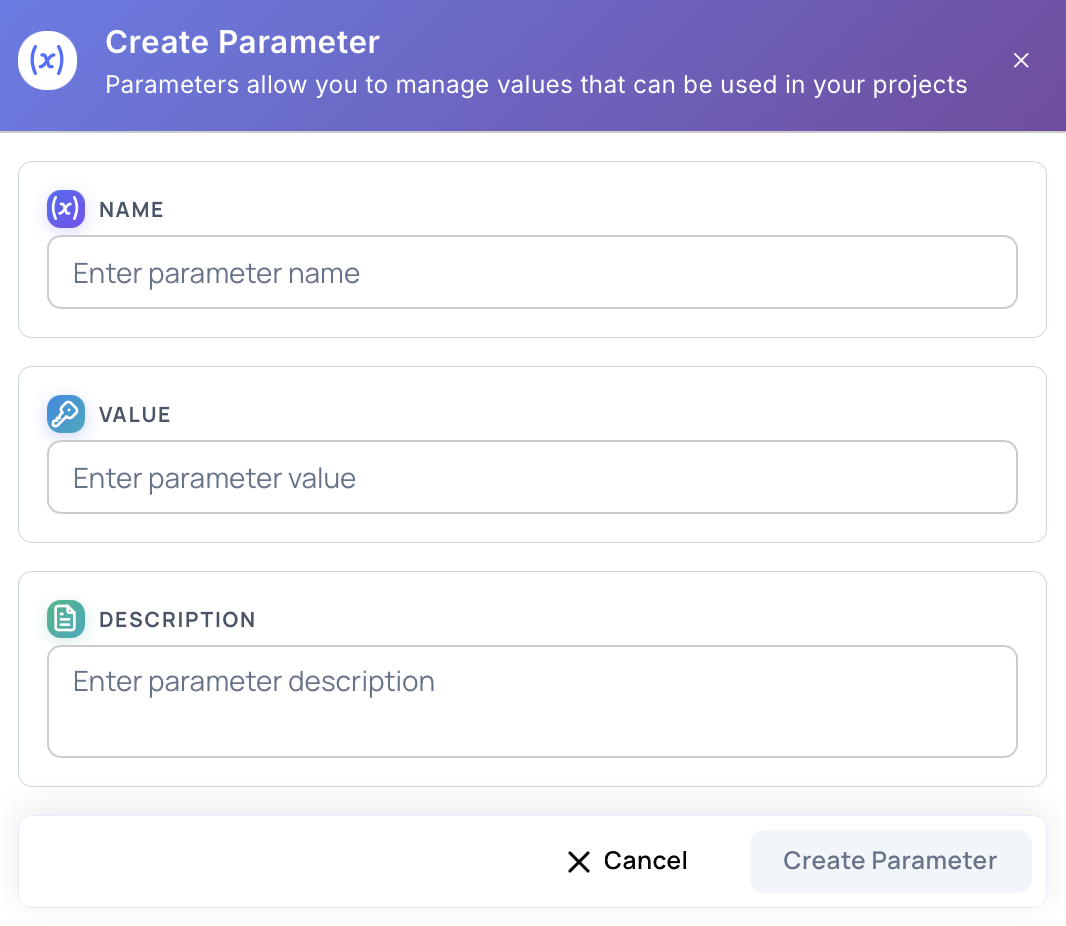
Name
- Required
- Must be unique within its scope
- Used to reference the parameter (e.g.,
$base_url) - Recommended format:
snake_case
Value
- Required
- The actual value substituted at runtime
- Can be updated later
Description
- Optional but strongly recommended
- Explains the purpose of the parameter
- Helpful for teams and future maintenance
- Click Create Parameter
Using Parameters
Parameters can be inserted in rich-text fields such as:
- Test case steps
- Execution steps
- Expected results
- Descriptions
Ways to insert parameters
- Type
$to trigger the parameter suggestion list - Use the Insert Variable ($) button in the editor toolbar
Once inserted, the parameter appears as an inline token.
Updating Parameters
- Parameter values can be edited at any time
- Parameter names should be changed cautiously, as references rely on them
- Updates propagate automatically to all usages within scope
Deleting Parameters
When deleting a parameter, Hawzu provides safe options:
- Replace with another parameter
- Replace with a static value
- Remove references
This prevents broken test steps and ensures consistency.
Best Practices
- Use workspace parameters for shared infrastructure values
- Use project parameters for environment- or project-specific values
- Always add clear descriptions
- Avoid duplicate names across scopes
- Prefer parameters over hardcoded values in steps
Next Steps
- Learn about Managing Parameters
- Read Parameters Best Practices